Start with a clean source take
Use a stable clip with a clearly visible subject and enough separation from the existing background.
Free Kie.ai video playbook
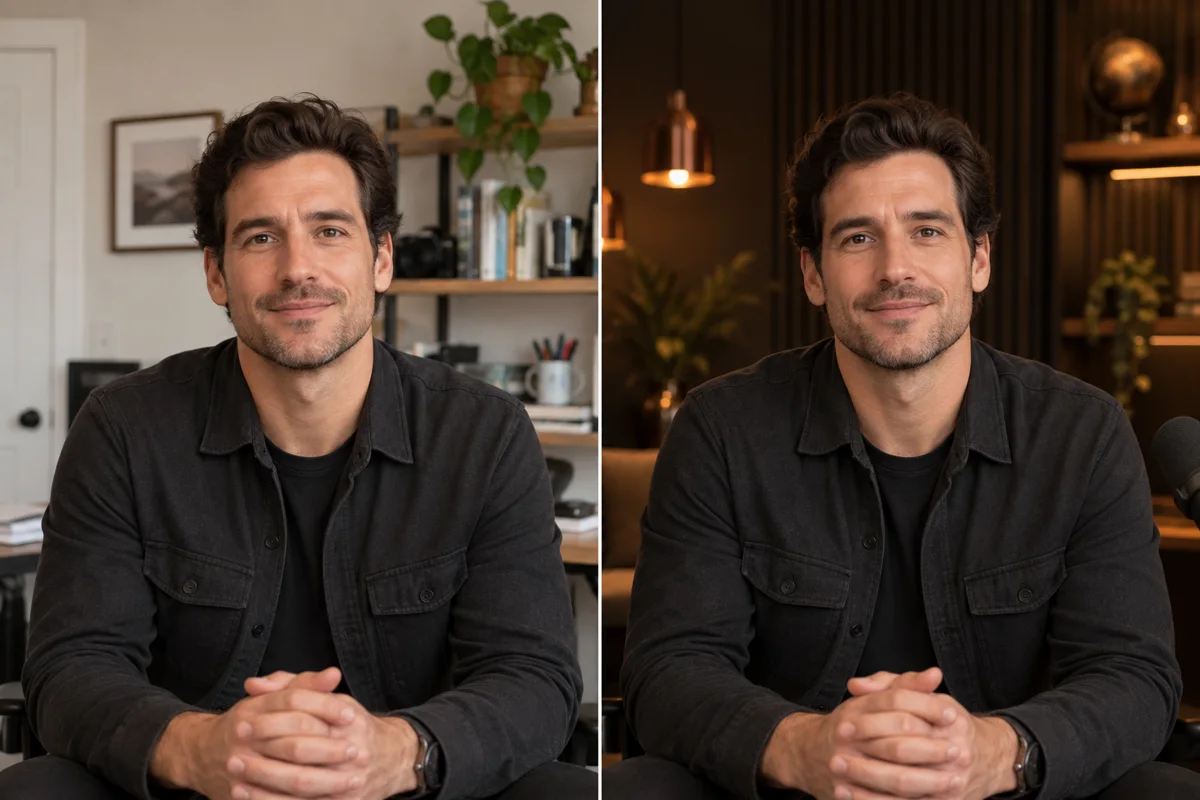
Film a simple clip wherever you are. Then use Gemini Omni in Kie.ai to replace the background with a professional setting while keeping your original performance intact.
Inside the playbook
The useful part is not a magic phrase. It is knowing what to lock, what to change, and how to inspect the result.
Tell the model exactly which human details and movements must remain untouched.
Move one source clip into a white studio, Las Vegas at night, a conference stage, or a polished set.
Catch identity drift, lip-sync errors, flicker, and altered clothing before an edit becomes an ad.

One source clip, many settings
Gemini Omni responds to conversational editing instructions. The playbook shows how to request one controlled change instead of asking the model to reinvent the whole shot.
“Change only the environment to a clean white studio. Keep the person, clothing, face, and motion identical.”
The operating method
Use a stable clip with a clearly visible subject and enough separation from the existing background.
Describe the replacement environment, then repeat what must remain identical.
Check face, hair, hands, clothing, motion, audio sync, and edge consistency across the full clip.
Keep the take you already earned